 Entering a Expense Settlement Document and Creating Follow-On Documents
You can enter expenses for a customer in an expense settlement document without first having a reference to preceding documents.
The following process describes how to enter an expense settlement document and create follow-on documents for payment processing in Agency Business
.
Process
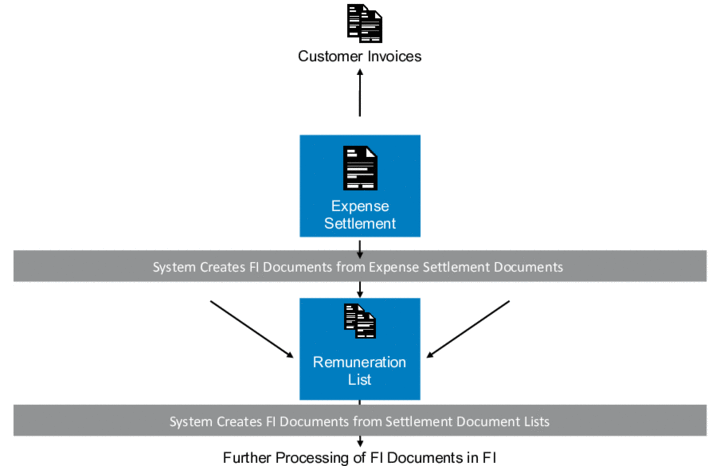
Entering Expenses and Creating Follow-On Documents
You enter the documents as an expense settlement document.
You post the documents.
For more information, see Posting Documents.
You create a remuneration list to group the expense settlement documents according to various criteria before performing joint settlement accounting for the expense settlement documents.
For more information, see Creating Remuneration Lists.
You post the remuneration list.
For more information, see Posting Documents.
Result
The documents are transferred to Financial Accounting
for further processing, such as a payment run.