Exposing a Java Class as a Callable Object
Prerequisites
You must hold the portal role GP Business Expert, or the relevant permissions for working with the Guided Procedures (GP) design time.
More information: Setting Up Portal Roles
Procedure
- Open GP design time.
More information: Launching Guided Procedures (GP) Design Time .
- Choose Create Callable Object from the contextual panel.
- Enter the following data:
- Type - select Service → Background Execution
- Name - for example, User Details
- Description - for example, Retrieve user details in the background
- Original Language - select English
- Location - choose any folder in the gallery
Basic Data
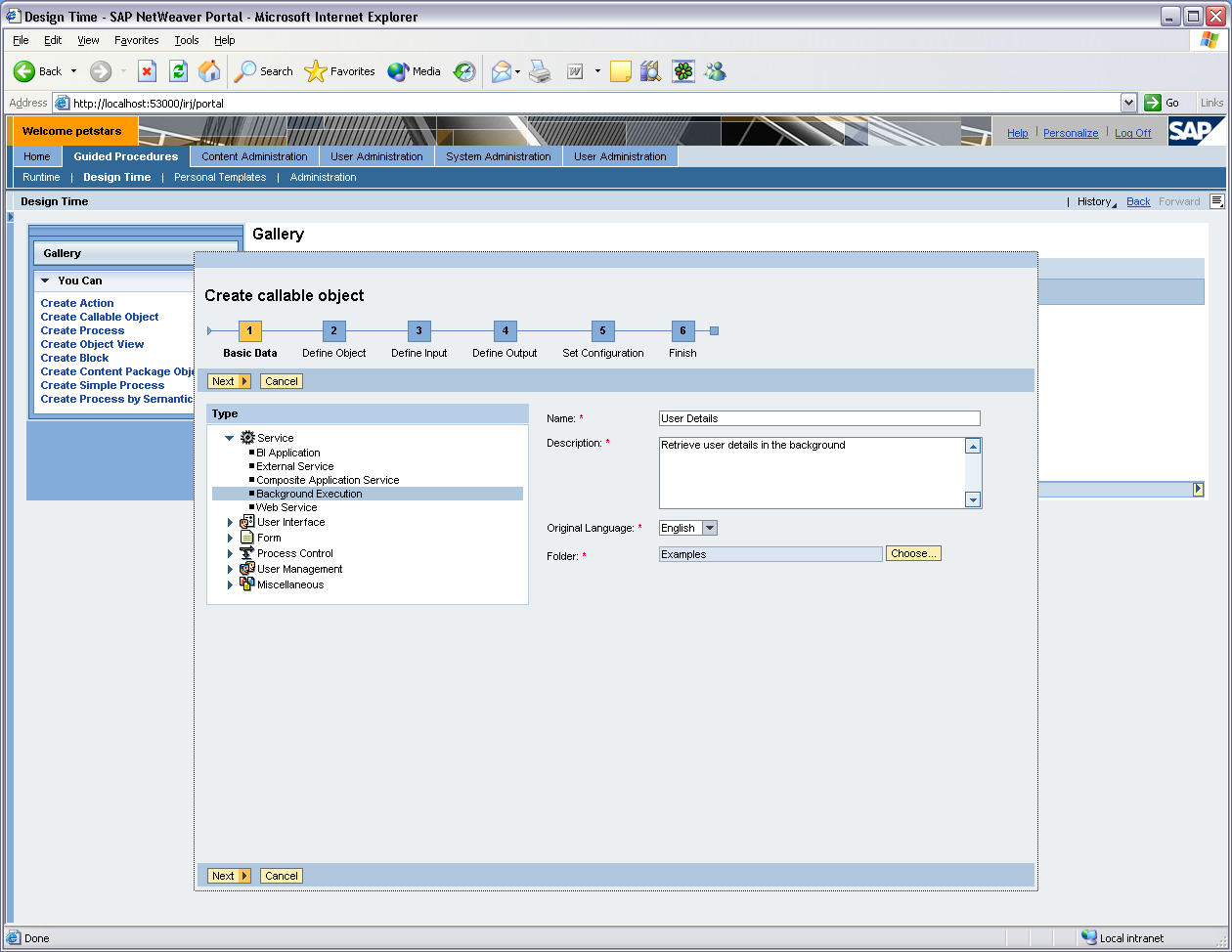
- Choose Next to open the Define Object screen.
- For Container Type, select Application.
- For Container, select the Java Enterprise Application that you created and deployed to the application server.
- For Implementation Class Name, enter the fully qualified Java name of your implementation class.
Define Callable Object
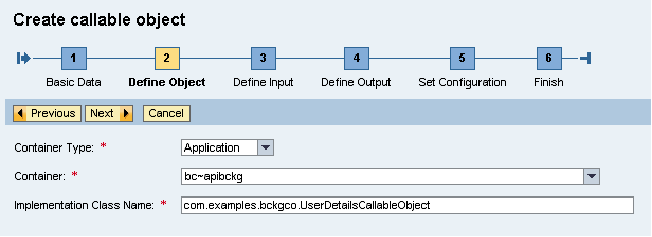
- Choose Next to open the Define Input screen.
The input parameter UserID that you defined in the implementation is displayed.
- Choose Next to open the Define Output screen.
The structure with output parameters defined in the implementation is displayed on the screen.
Output Parameters
| Context parameter | Object type |
|---|---|
|
User |
Structure |
|
firstName |
String |
|
lastName |
String |
|
Phone |
String |
|
Fax |
String |
- Choose Next, and then Finish and Open.
Result
You have instantiated your background callable object in the GP design time. Now you can test and activate it.
More information: Testing and Activating the Background Callable Object .