Defining Output Devices for Local Windows Printing
Use
Your SAP spool server (application server with a spool work process) is running on a Microsoft Windows server, and you want to print on one of the output devices that is defined in the Microsoft Windows operating system. To do this, you must create the corresponding device definitions for this output device in the SAP System.
Prerequisites
-
Ensure that a spool work process is running on the SAP server.
You can see which servers in the system have spool work processes in the list of SAP servers.
-
Ensure that you can already print documents on the printer from the Microsoft Windows operating system.
If this is not the case, install the printer on the Microsoft Windows server. You can find details about this in your Microsoft Windows documentation.
Procedure
Follow the procedure below to create a device definition for local PC printing:
-
Call transaction SPAD, and choose Output Devices.
-
If you are not in change mode, switch to this mode by choosing
 Change.
 -
You now have the following options:
-
You can create a new device definition by choosing
 Output Device
  Create
 .
. -
You can use an existing device definition as a template.
To do this, click the entry for the output device that is to be used as a template, and choose
Output Device Create Using Template.
-
-
Specify the name of the output device and fill out the mandatory fields of the individual tab pages as follows:
Field
Input
Tab Page
Device Attributes
Enter the device type that is defined in the SAP System for the printer model, such as HPLJ4 for the HP Laser Jet.
For a list of the device types delivered, see SAP Note 8928 in the SAP Service Marketplace.
Spool
server
Enter the name of the SAP spool server that is running on the Microsoft Windows NT/Windows 2000 system.
For additional information, see Spool Server.
Device class
Select Standard printer.
Tab Page
Host Spool Access Method
We recommend access method C.
Host Printer
Enter the UNC name of the printer (name and network path) as it is defined in the Microsoft Windows Print Manager.
Example: \\P09330\P330
-
Optional: Classify the device. To do this, choose
Edit Classification and then the appropriate output type classification for this device. Although classification of output devices is optional, it provides this advantage:If you also classify your spool servers, the spool system checks that the device and server classifications match. This helps to ensure an optimal output configuration.
-
Result
You can use the printer in the SAP System as soon as you have saved the device definition.
Example
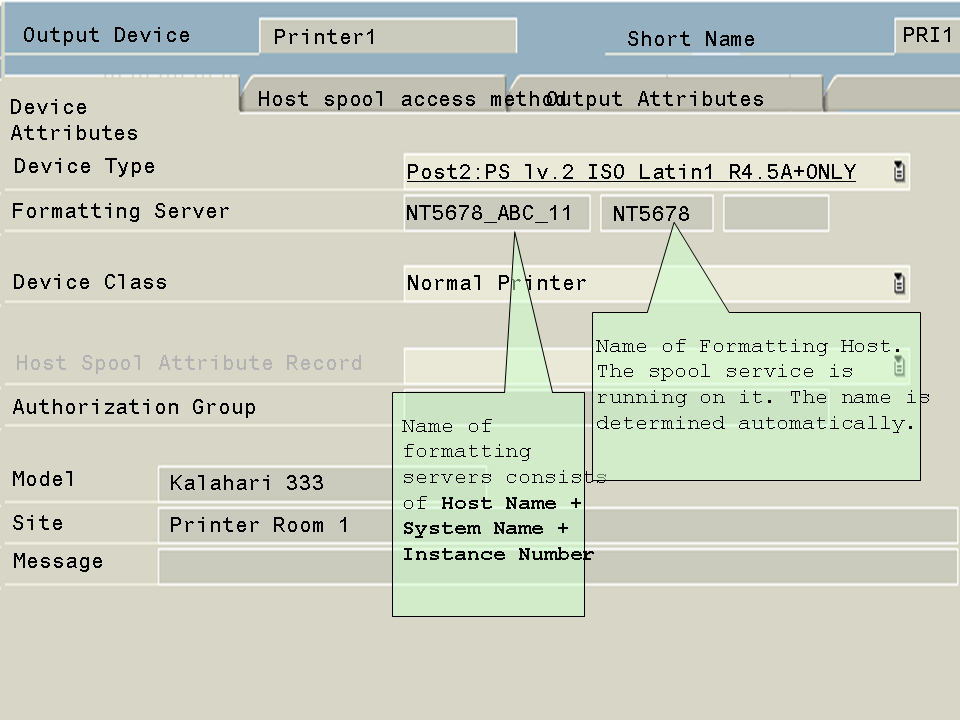
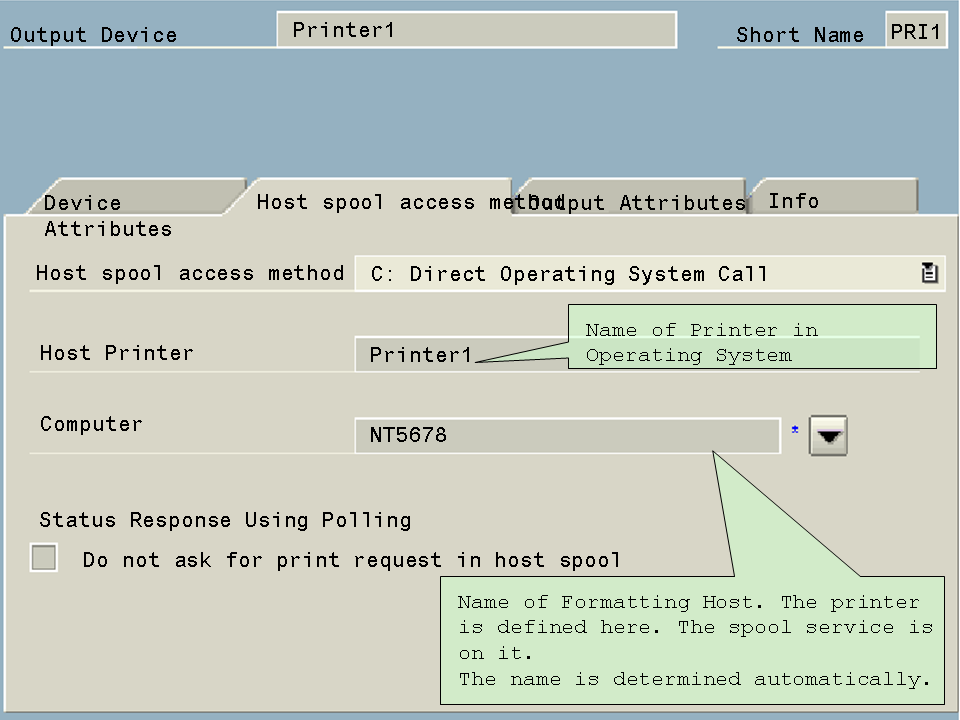
Example The following example shows the definition of a PostScript printer that is to be used as an output device for local Microsoft Windows PC printing.
Device Attributes tab page:
Host Spool Access Method tab page:
As the host spool system and the spool server are on the same server, the name of the same server appears on both tab pages. In this example, the printer also has the same name both in the SAP System and in the operating system.
For more information about other output devices, such as for UNIX printing, see Output Devices in the SAP Spool System.
