Technical System Landscape
Use
For SAP NetWeaver Mobile, we recommend a triple-environment system landscape:
-
Development Environment In this environment, you can develop mobile applications to meet your business needs.
-
Test Environment In this environment, you can test the design and runtime behavior of the developed mobile applications.
-
Production Environment In this environment, you can use mobile applications with the productive (real time) mobile clients.
The following figure shows the different systems in the three-environment landscape, and how they interact with each other.
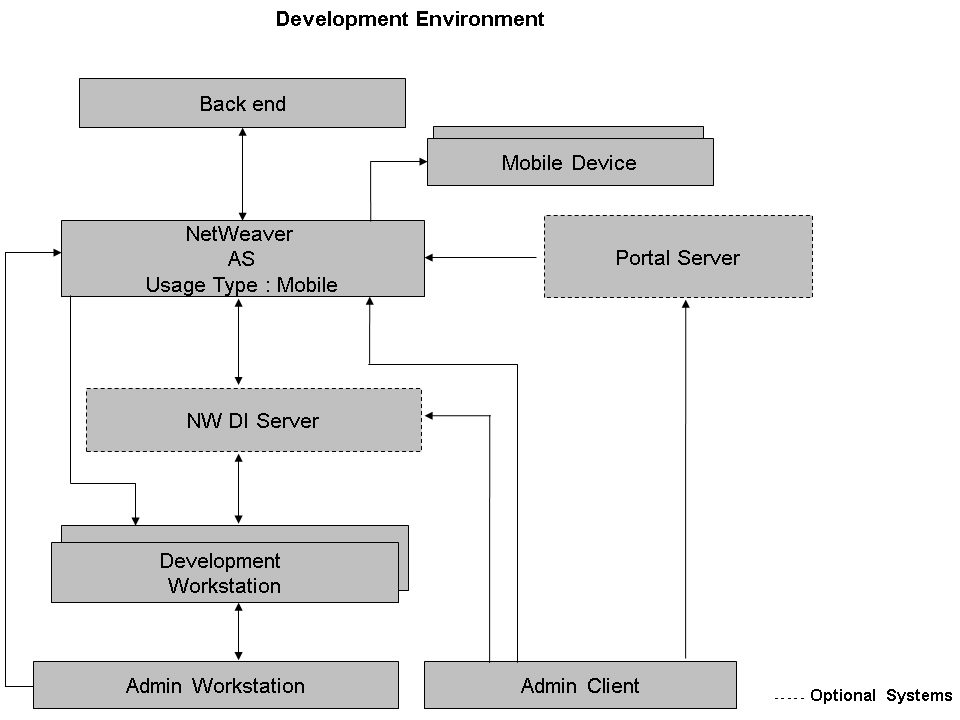
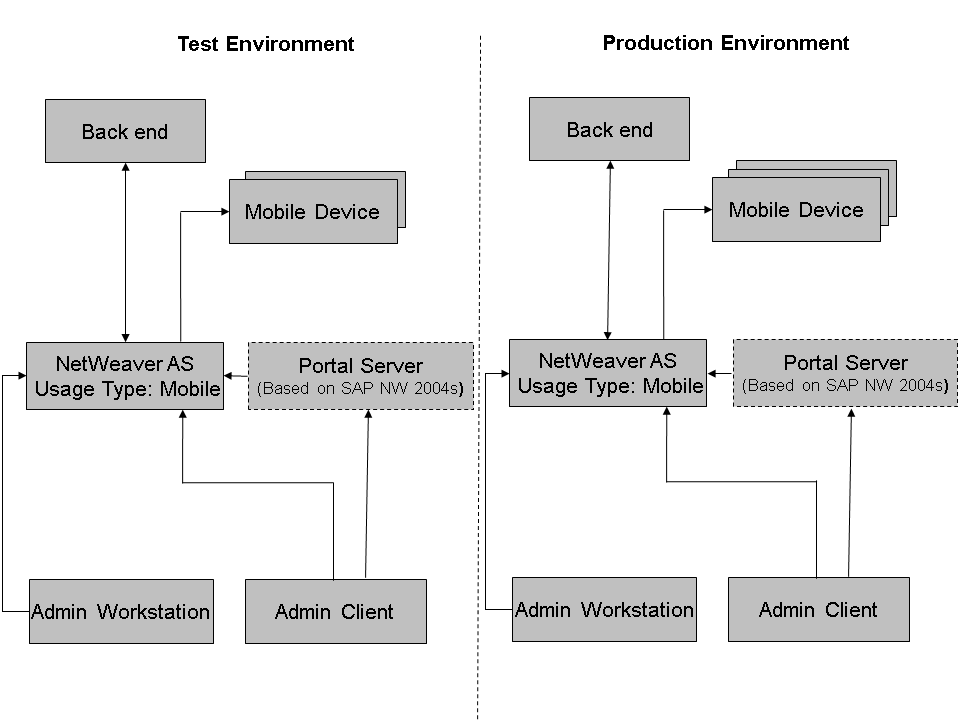
The following table briefly describes the role of each system in the system landscape:
|
System |
Role |
|
SAP NetWeaver Application Server with Usage Type Mobile |
A server that allows data exchange between the back-end system and mobile devices (laptops or handhelds). The server performs the following functions:
|
|
Mobile Device (Laptops or Handhelds) |
A mobile device contains the mobile client along with the relevant mobile applications. The client device allows the user to:
|
|
Admin Workstation |
A system that can be used to store:
|
|
Admin Client |
Using this system, the administrator can logon and perform administrative tasks on the DOE. This system can also be a laptop to ensure that you can perform the required administrative tasks even if you are outside the office. |
|
Development Workstation |
The system on which you create and test mobile applications. |
|
Back-end System |
An existing SAP ERP system that contains all the data relevant for the business. |
|
NWDI Server |
An infrastructure that provides the development teams with a set of closely coupled central services to design, implement, build, deploy, and test applications. The main features of NWDI include:
|
|
Portal Server |
The system allows you integrate mobile-related information, and services on a browser-based user interface. It allows you to log on to the SAP NetWeaver Mobile Client using Single Sign-On (SSO). The Portal Server:
|