Field Significance Profile
The results list of the MRP monitor gives you a preview of the rules that apply to an object and valuates the proposed field changes with regard to their significance.
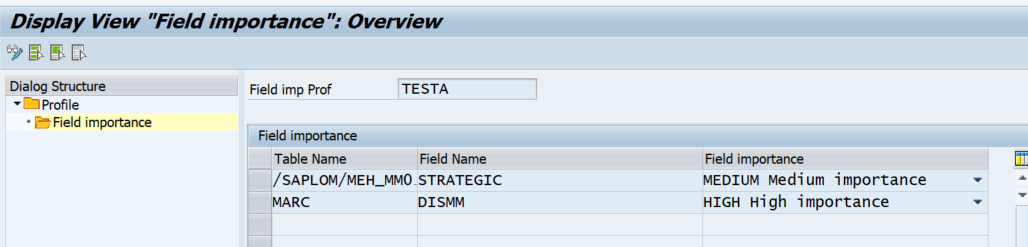
For this, create a field significance profile in the transaction /SAPLOM/XMM_FIELDPRFL.
For each profile, you can specify fields and rate their importance. The categories Very High, High, Medium, Low, and Very Low are available.
If you choose the options Rule-Based Update and Consider Selection Conditions for Interactive Update, you can specify the field significance profile for the analysis. You get additional columns on the result screen:
- Total Number of Applicable Rules
- Number of Fields Changed in Prioritized Rule
- Number of Applicable Rules with Material Master Changes
-
Number of Fields with Very High Significance
-
Number of Fields with High Significance
-
Number of Fields with Medium Significance
-
Number of Fields with Low Significance
-
Number of Fields with Very Low Significance

No automatic update is performed with these settings. The fields should support the user during the interactive update.