Result Tab
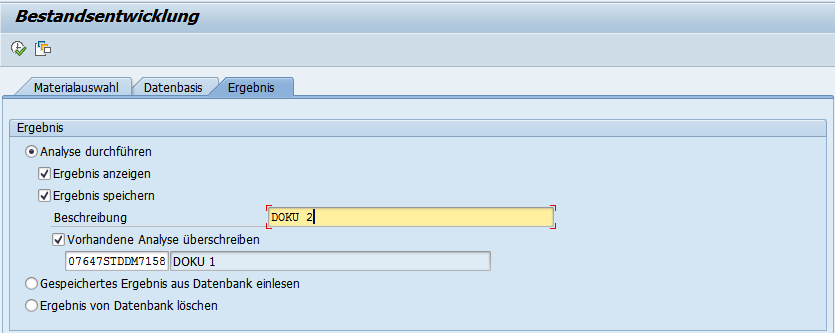
On this tab page, you specify whether you want to see the calculation result only on screen or whether you also want to store it in a database table. When the data is saved to the database, the analysis data is identified using a key determined internally. To subsequently identify the analysis data in the table, you can enter a user-defined text, which you can then also use to call up the result on the Result tab.
If you specify that the result is to be stored in the database, you can read it from the database again later.
In the case of background processing, we recommend you save the result in the database, otherwise you can no longer access it.
On this tab (Delete Result from Database), you can delete calculations no longer required from the database.
Depending on the option chosen, fields are shown and hidden on the Result tab.
Overwriting an Existing Analysis
You can use this option to overwrite an existing analysis. The key (DB key) is retained. However, the data is deleted and the new analysis data is saved under this DB key.
You can enter a new description for the analysis in the Description field.