Material Enhanced Tab
On the Material Enhanced tab, you can fill additional selection fields on the SCM tab.
The selection fields of the enhanced material master view are visible when you choose the SCM tab page button.
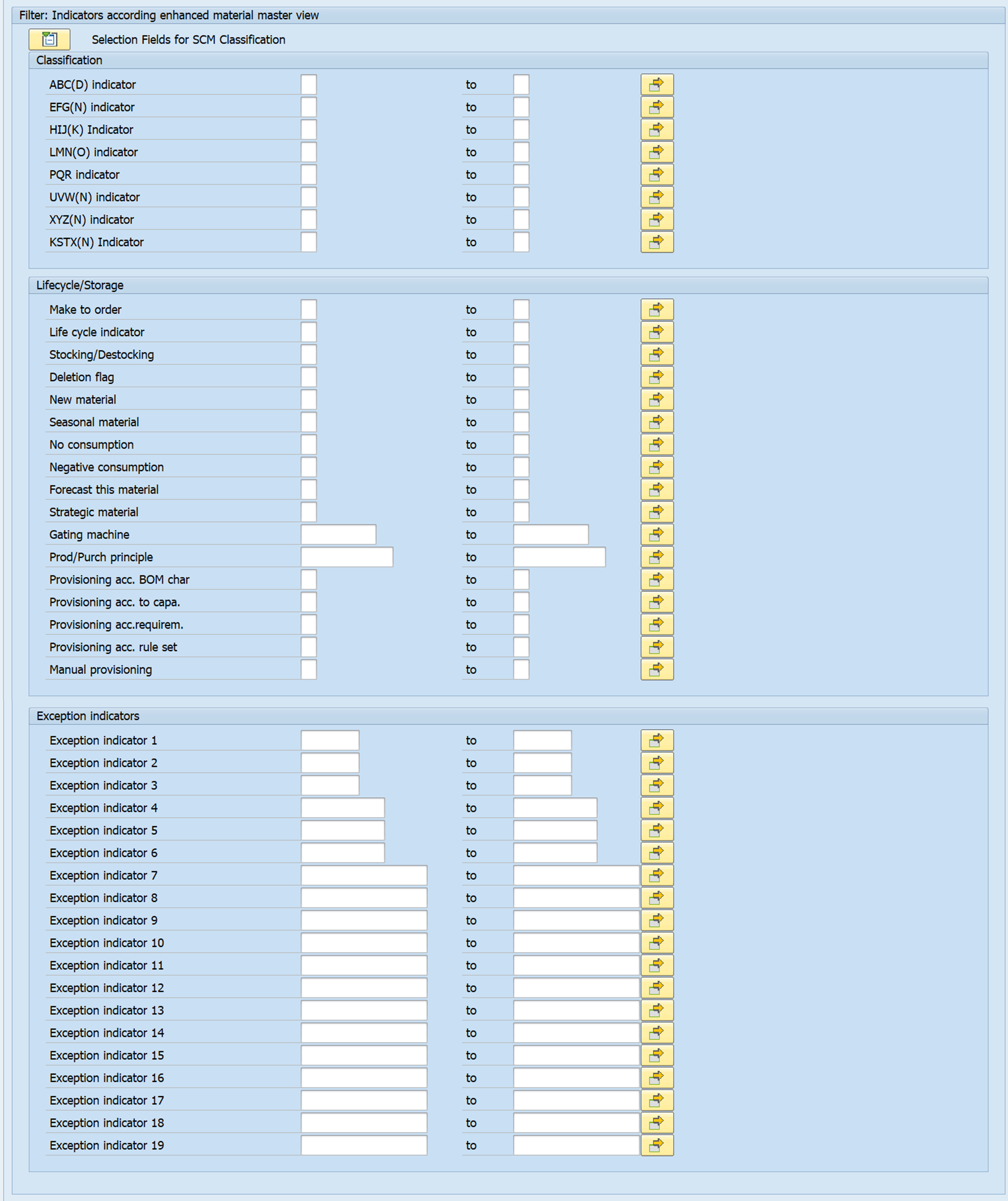
The current release also offers the classifications currently saved in the enhanced material master view as well as other characteristics/key figures as further selection options. These include:
- Material to be stored
- Deletion indicator
- NEW indicator
- Season indicator
- Negative usage
- No consumption
You can also use up to 19 custom exception indicators. For more information, see the sections of the enhanced material master view in the documentation for the comprehensive functions.
Selection data according to classifications and key figures are checked against the enhanced material master view. Only those materials that match the data entered are considered in the classification.
Exception: Importing a Saved Analysis
An exception is the import of a saved analysis, since a check can also be carried out against the existing values in this analysis.
This means you have four options:
- No entry: No check of the selection with regard to the enhanced material master view and no check of the saved analysis
- Selection based on the SCM tab page: Check against the enhanced material master view, no check against the data of the saved analysis
- Selection based on the saved analysis: Check against the data of the saved analysis, no check against the enhanced material master view
- Selection with regard to saved analysis and SCM tab: Check against the data of the saved analysis as well as against the enhanced material master view
If you want to import a saved analysis, two areas are available for entering the selection criteria.

The results list displays the data records that match the selection.