Flexible Update of Material Master Fields
You can maintain the SAP material master fields from the MRP monitor (additional function). To do this, in the material list of the MRP monitor, you first select all the materials that you want to maintain. You then choose the Flexible pushbutton in the header area of the material list. The system displays a window in which you can edit the material master fields.
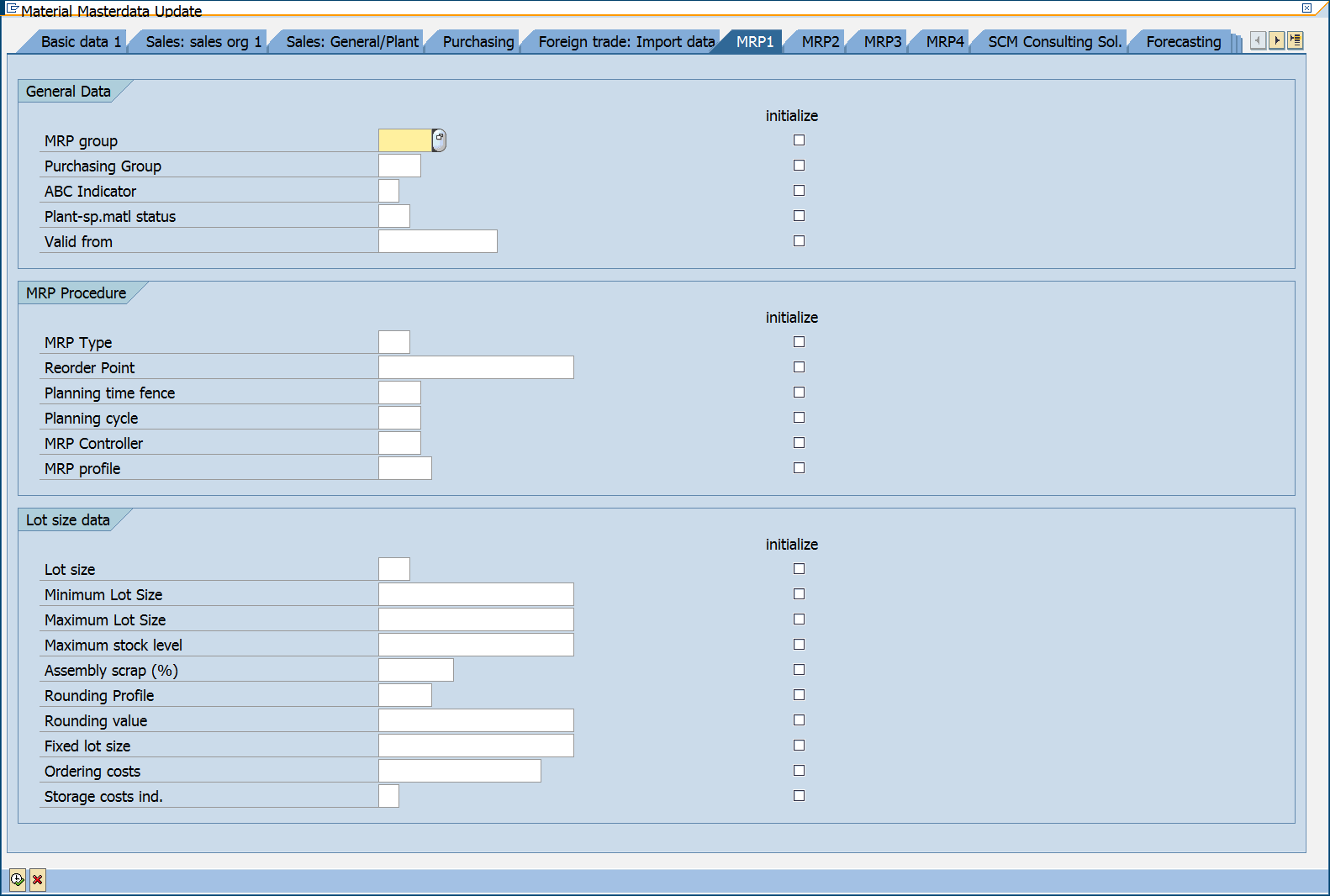
You can change the fields when you enter new values.
If you set the Initialize indicator in the dialog box (for a field), the input field for the related parameter is grayed out and you cannot enter a value. In this case, the field is initialized in the material master.
Therefore, if you want to change the content of a field, you must not set the Initialize indicator.
You can use the flexible update dialog box profile on the Result tab to determine the layout of the dialog box.
For more information, see the documentation on the comprehensive functions.