Special Stock Tab
On the Special Stock tab, you can specify how special stock is to be handled. This option is only possible in combination with material document aggregation (see the section on selecting special stock for material document aggregation – this is contained in the documentation for the comprehensive functions).
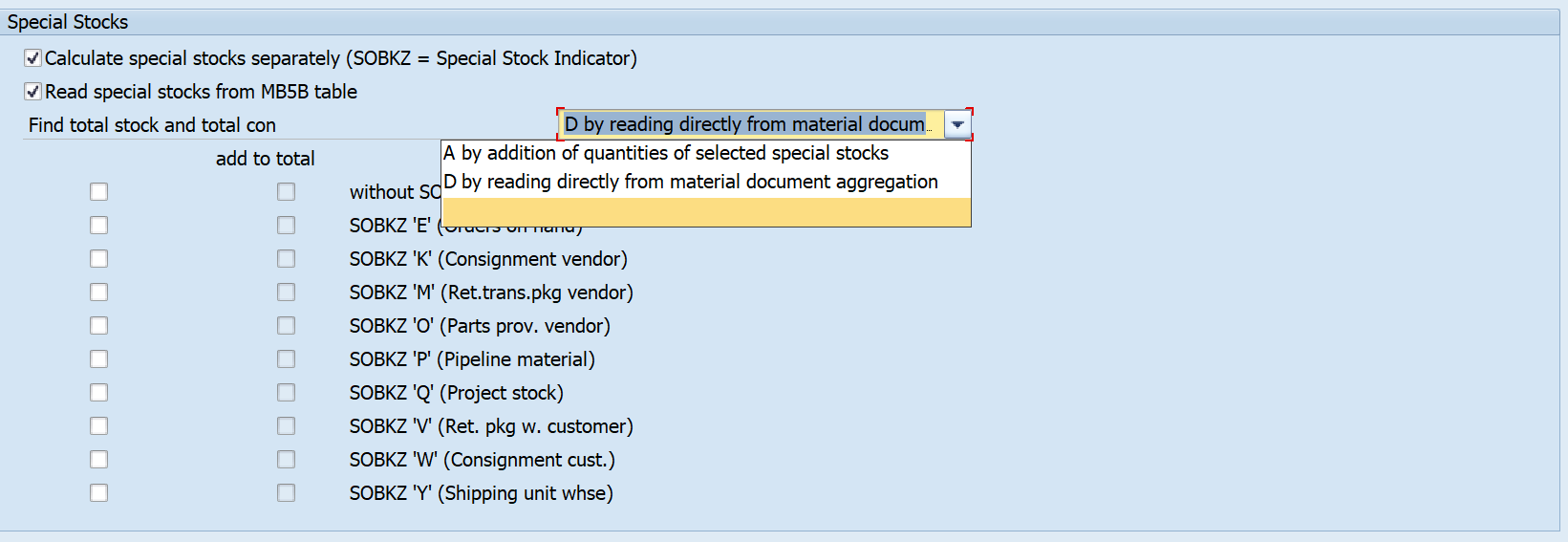
Here, you can decide which stock you would like to see and what is added to the total consumption. The left column specifies what is displayed in the results list of the MRP monitor in terms of special stock and consumption. The right column indicates which special stock values are included in the total stock or total consumption. To have a selection here, select Add total stock/consumption from selected special stocks. If you select Total stock/consumption directly from material document aggregation, you do not need to select anything in the right column.