Business Document Navigator
Use
The Business Document Navigator (BDN) is the central tool for processing documents. You can use the BDN to execute standard document management functions on documents managed, for example, by SAP ArchiveLink. To go to the Business Document Navigator, choose  Office
  Business Documents Documents Find
 . Alternatively, choose Tools Business Documents, Environment Business Documents in the administration menu for business documents.
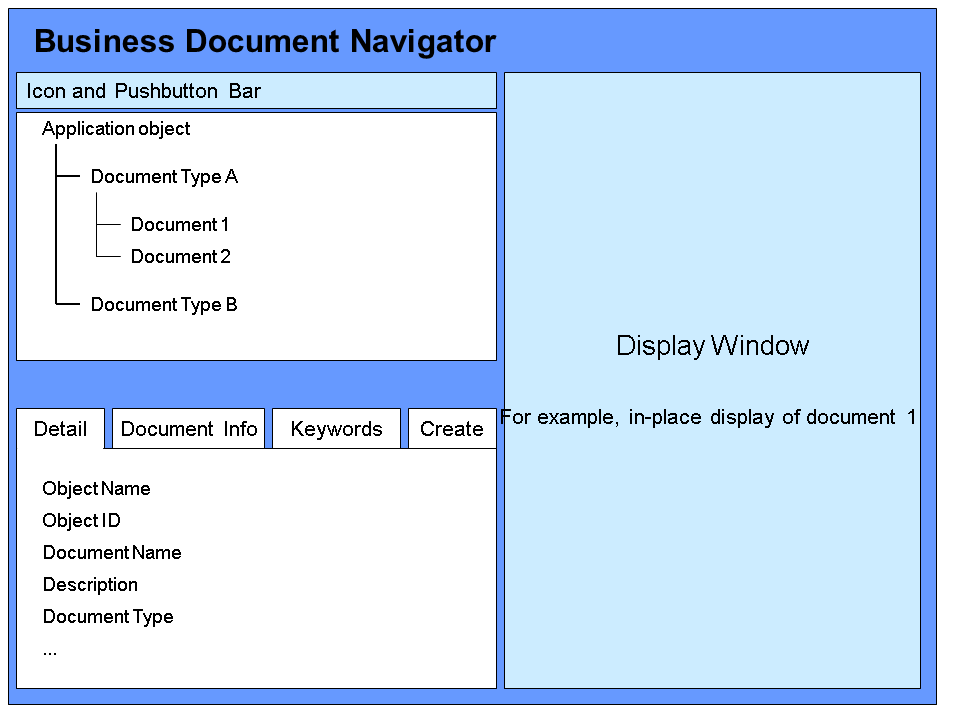
In the upper part of the screen, the relevant documents, sorted by document type (the document types in turn belong to specified application objects) are displayed in the tree. The lower left part of the screen contains tab pages with the functions Detailed display, Document information (version string), Keywords and Storing. On the right-hand side of the screen, you can display a selected document in-place.