Creating Entry Points
Context
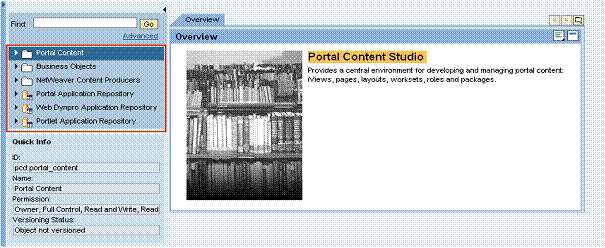
Entry points define the top-level nodes in the Portal Catalog, as well as the types of semantic objects to display. For example, you can specify to display only the Portal Content folder, and display only folders, iViews and pages in the folder.
The following figure illustrates the sections in the XML script in which you create the entry points:

Procedure
-
In the <context> element for the admin studio instance configuration, create a <Context> element for a standard folder that indicates the start of entry points, specifying the name and objectClass attributes:
<Context name="pcmEntryPoints" objectClass="com.sap.portal.pcd.gl.GlContext">
-
In the <context> element for entry points, create a <Context> element for each entry point.
Each entry point should be a delta link to an existing entry point template. The entry points are defined in the following folder:
 Portal Content
  Content Provided by SAP Admin Interfaces Admin Studio PCM Entry Points
  .
.The PCD path to the entry points is portal_content/com.sap.pct/admin.templates/pages/com.sap.portal.admin_studio_page.
-
Set the objectClass attribute for each entry point <context> element:
objectClass="com.sap.portal.admin.studio.config.pcmentrypoint"
-
For each entry point, define an <Attribute> element that specifies the object types to display under the entry point:
<Attribute name="com.sap.portal.admin.studio.config.pcmentrypoint.structureFilter">
-
For this <Attribute> element, define <AttributeValue> elements, one for each object type. For example, to display portal pages under all folders in the portal content catalog, set the following attribute:
<AttributeValue value= "com.sap.portal.pcm.admin.PlainFolderConverter=com.sapportals.portal.page">
-
-
For each entry point, you can define an <Attribute> element to specify the objects that you want to exclude from the catalog tree.
<Attribute name="com.sap.portal.admin.studio.config.pcmentrypoint.excludedObjects">
For this <Attribute> element, define <AttributeValue> elements, one value for all object IDs you want to exclude. Set the following attribute:
<AttributeValue value="30:pcd:portal_content/com.sap.pct40:pcd:portal_content/every_user/PCCAuthors41:pcd:portal_content/pcc_portal_application32:pcd:portal_content/templates/pcc">
In this syntax, NN: is used as a delimiter between each two object IDs, indicating the number of characters of the following object ID.
Results
The specified entry points are displayed in the Portal Catalog.