

 Menu Enhancements
SAP allows you to enhance menus in its user interfaces using function codes. These function codes must adhere to the form /namespace/+<...>, just like in SMOD/CMOD enhancements. They are assigned to a specific enhancement and only appear in their corresponding menus once an implementation of this enhancement has been activated.
Application developers reserve specific function codes for customers when defining a Business Add-In. They use the Menu Painter to include these codes in the appropriate menu lists. Application developers must also ensure that these menu options are called in their applications and that the corresponding add-in methods are also retrieved. Customers can take advantage of menu enhancements by creating a new implementation, choosing a text for the menu option, and then programming the method used to determine what action is performed when the menu enhancement is called.

Menu enhancement is only possible using single use add-ins (not multiple use add-ins) that are not filter-dependent. Currently, menu enhancements can only be created in conjunction with program enhancements (interfaces).
To create a menu enhancement, proceed as follows:
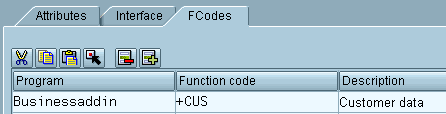
Calling a Menu Enhancement from an Application Program
You programming should look like this:
(…)
Implementing a Menu Enhancement
When implementing menu enhancements, proceed as follows:
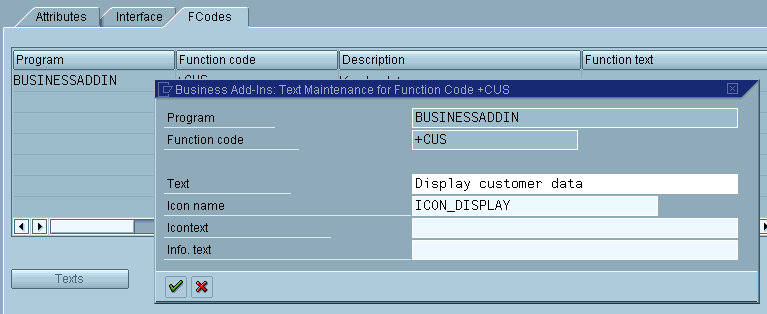
Here you may enter a text for your function code, the name of an icon and a text for the icon, and a short informational text.
The actions that you want the system to perform after the pushbutton is chosen must be programmed in the appropriate method, either manually or using default source code that has been provided to you.
Menu enhancements only become visible after the implementation has been activated and the application program that calls the Business Add-In has been executed.