

 Resetting to the Original
If you want to undo the modifications you have made to certain Repository objects, you can do this on the initial screen of the corresponding ABAP Workbench tool using the Edit ® Modifications ® Reset to original function. You may also undo modifications in the Modification Browser (SE95) by selecting the Repository object and choosing Reset to original. This will reset the entire Repository object to its version in the standard.

Includes that belong to a program cannot be individually reset.
Whenever an object, for example a program name, is chosen, any modifications made to its associated sub-objects are reset to their original form as well.
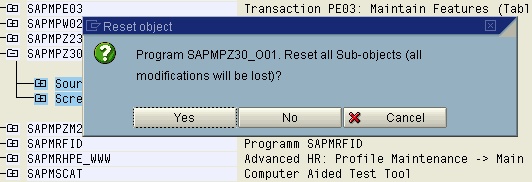

After you have reset a modification, there is no way in which this modification can be retrieved.
In order to maintain consistency, modifications can only be reset for entire Repository objects. To undo individual modifications (for example on a particular status), you have to navigate to the modification directly using the appropriate tool. If you navigate to where the modification was made, you can reset selected sub-objects (for example a menu bar) to their original appearance and functionality.
The section on
For more information on this subject, see
General Functions in Transaction SPAU.